Start with Mark
16 chapters, one clear Gospel, and a manageable step each day.
 Bible Navigator Open Deutsch
Free app by Bibelcoach.de
Bible Navigator tells you what is due today, remembers your progress, and helps with notes if you want them. You read in your own physical Bible. Then the phone can step aside.
Many want to read Scripture but do not know where to begin. Then the next step is unclear, bookmarks fall out, notes scatter, and the phone becomes a distraction instead of a help.
Where to Begin?
You do not need to find the perfect plan first. Common starts like Mark, John, and the Psalms become manageable steps. Preparation seasons get ready-made paths.
16 chapters, one clear Gospel, and a manageable step each day.
One chapter a day for anyone who wants to know Jesus more deeply.
Selected Psalms give words for praise, petition, repentance, and trust.
Use ready-made paths for concrete seasons of preparation.
Use Cases
The app stays a navigator: it shows references, paths, progress, and personal notes. You read in your own Bible, not in another feed.
Guided starts give you a first step that does not overwhelm.
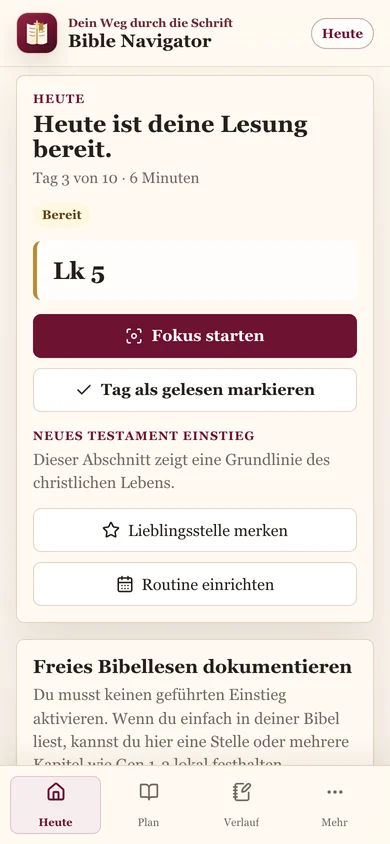
Today shows the next passage, estimated time, and your current place.
Your path remains visible even when the paper marker is gone.
The app encourages you not to read Scripture on the phone, but in your own physical Bible.
The liturgy of the day shows today’s Church references.
Make an appointment with Scripture instead of being pushed by notifications.
Choose Mark chapter by chapter or John in calm daily steps, for example. The app divides the path naturally.
Ready-made paths help connect concrete preparation with Scripture.
Favorite passages and notes stay in one private place.
If this feels familiar, start with clear guidance today.
Open the free appWhat Helps
A clear view of the passage that is due now, so you can continue in your Bible.
Mark, John, Psalms, First Communion, Confirmation, or your own biblical book in natural daily steps.
Prayer, reference, and section progress without screen noise.
The phone only tells you what is due and then gets out of the way.
Instead of annoying notifications, create a calendar appointment. You can delete it at any time.
Today’s Church references stay visible independently of your personal guidance.
See what you read in recent days and weeks.
Save important references and find them again.
Keep thoughts on a passage without creating an account.
Screenshots
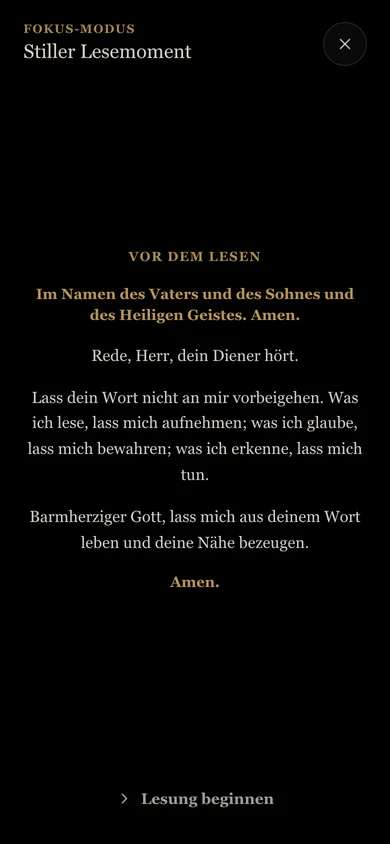
Prayer and reference without feeds, popups, or noise.
The next passage, your place, and space for notes if you need them.
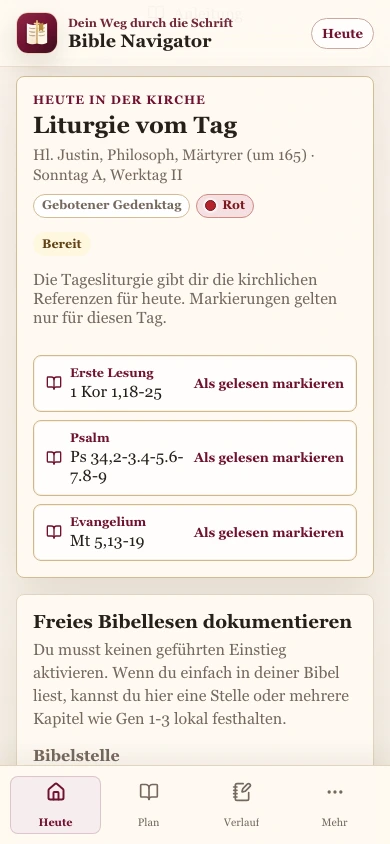
Today’s Church references stay close at hand.
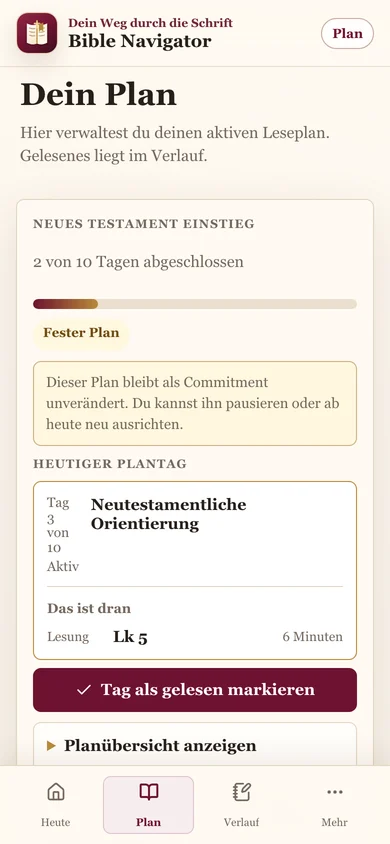
Scope, duration, and progress stay ordered.
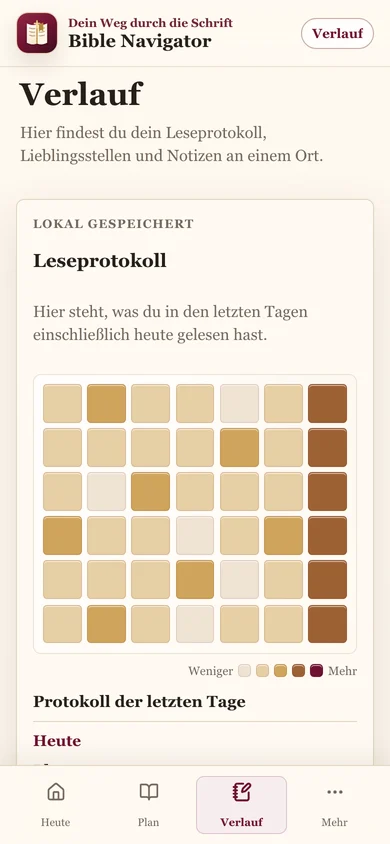
Readings, notes, and favorite passages stay findable.
Installation
This keeps the next step visible without searching in the browser and drifting into distraction.
Open the free appOpen.
Add to Home Screen.
Find it every day.
Open Bible Navigator for free, see what is due, and then continue reading in your Bible.
Open the free appFaithOS
Bible Navigator belongs to a family of digital faith projects built to give orientation without noise.
A grounded path for the question of God.
OpenPerspectives and access points for Catholic liturgy.
OpenGrounded answers on Scripture, theology, and faith.
OpenAn interactive companion through the Creed.
OpenPrivate preparation for confession.
OpenLearn Latin prayers and hymns.
Open